Verde VPN
- 4.6
- Rating
- 1.00M
- Installs
- Free
- Price

 Analysis by App-foxy
Public Wi-Fi, blocked pages, and the small privacy worries that follow you from one network to another are rarely dramatic, but they are repetitive. I often want a quick way to protect a connection without turning a simple task into a technical project. That is the problem Verde VPN tries to remove. It is a free VPN tool for Android from Azul Software, aimed at people who want a straightforward route to private browsing and access to content while travelling, studying, working, or using unfamiliar networks.
After spending time with it, my impression is that its greatest strength is not novelty. It is the attempt to make a normally fiddly utility feel close to an everyday switch. The app is listed for Everyone, works on devices running Android 6.0 or later, and has reached over one million installs. Those details matter because this is not positioned as a specialist security console for network experts. It is built for ordinary phone owners who want less friction between opening a VPN and getting on with what they were doing.
I would still avoid treating any VPN as a magic cloak. A VPN can change how your connection reaches the internet, but it does not make every online activity automatically safe, anonymous, or acceptable under a service’s rules. Verde VPN is most useful when you understand that boundary and want a convenient layer for particular situations rather than a complete replacement for careful browsing habits.
You May Also Like

 Blood Strike: 2.5 Anniversary
Blood Strike’s Loadouts Turn Every Drop Into a Tactical Gamble
A close look at Blood Strike’s custom loadouts: how fast access to signature weapons reshapes its battle royale rhythm, rewards preparation, and narrows the gap between fights.

 Pandora - Music & Podcasts
Pandora’s Music Is Easy to Start, but Harder to Recover
Pandora’s strength is its low-effort path from a seed to a station. Its weak spot is how much confidence it asks you to place in connection, setup, and quiet recovery.

 8 Ball Pool
 Is Built on Rivalries, Rematches, and Routine
A close look at the rivalries, rematches, shared routines, and unanswered safety questions that turn a quick pool match into a persistent mobile community.

 Samsung Music
’s Quiet Strength Is Playing What You Already Own
Its reach comes less from spectacle than from dependable access to a personal library. That simplicity is both the app’s strongest retention engine and its ceiling.

 AccuWeather: Weather Radar
AccuWeather Review: A Quick, Clear Forecast for Everyday Decisions
For everyday plans, the best forecast is the one you can understand quickly. AccuWeather makes rain timing, radar, and local conditions easy to act on, with a few trade-offs.

 Hill Climb Racing
Why Hill Climb Racing Still Turns Crashes Into One More Run
A tiny car, a bumpy hill and one more upgrade: Hill Climb Racing keeps resurfacing because its simple chaos makes every near-miss feel personal.
More From Our News Desk



How Verde VPN fits into everyday use
I find Verde VPN easiest to judge by the small decisions it can simplify: whether to use unfamiliar Wi-Fi, when to connect, and when to switch the VPN off again. That practical lens also makes it easier to weigh convenience against the occasions when a more configurable service may be worth the extra setup.
The first setup is deliberately approachable
My first useful test for an app like this is not whether it sounds impressive. I want to know how quickly I can reach the point where it actually helps. Verde VPN’s appeal is its uncomplicated role: open the app, follow the connection flow, and use the protected connection when the situation calls for it. That makes it easier to recommend to someone who has never configured a VPN before and does not want to learn about protocols, server administration, or complicated network settings.
The Android requirement is also friendly to older phones. A minimum of Android 6.0 means owners of many ageing devices are not immediately excluded, although the experience will naturally depend on the phone’s battery condition, available memory, and the quality of the network being used. I would install it before travelling rather than waiting until I am sitting in an airport with weak Wi-Fi. That small bit of preparation saves the most time because the first setup is always easier on a familiar connection.
During setup, I would pay attention to the Android permission and connection prompts instead of tapping through them automatically. This is good advice for every VPN, including this one. A VPN needs the operating system to approve its network connection, and that approval is different from giving an app unlimited access to everything on the phone. Reading the prompt helps you understand what Android is asking and prevents the common mistake of assuming that a VPN has solved every privacy issue on the device.
One practical habit makes the app more useful: decide in advance what you want it for. If the goal is safer browsing on hotel Wi-Fi, connect before opening accounts or entering payment details. If the goal is reaching a page while travelling, connect before loading the page and disconnect only when you no longer need the changed route. Treating it as a task-based tool is less confusing than leaving it running without thinking about battery, speed, or whether the current activity benefits from it.
What it feels like in a normal day
A realistic example is a workday away from home. I arrive at a café, join its Wi-Fi, and need to check a document or send a message before moving on. Instead of using the network immediately, I open Verde VPN first, complete the connection step, and then continue. When I leave, I disconnect so the phone is not maintaining a VPN session that I no longer need. The value here is measured in a few avoided decisions: I do not have to remember a long manual configuration, search for a separate tool, or troubleshoot a desktop-style setup on a small screen.
Another scenario is a hotel room where the connection is convenient but unfamiliar. I might use the VPN while browsing, checking travel information, or handling routine online accounts. It does not remove the need to verify the correct website or use strong passwords, but it gives me a more comfortable starting point than sending traffic over an open network with no additional protection. That is the kind of modest, repeatable benefit I find more convincing than broad promises about total privacy.
It can also help when a page or service behaves differently depending on the network or location. The store positioning mentions content access, so that is clearly part of the intended use. However, I would not assume that every service will work simply because a VPN is active. Streaming platforms, banking apps, games, and websites can apply their own location checks or block known VPN traffic. If a particular service is essential, I would test it before relying on Verde VPN for a trip or an important appointment.
Where the time savings really appear
The main convenience is the reduction of repeated setup work. Traditional VPN alternatives can involve choosing a provider, creating an account, comparing connection locations, importing configuration files, or adjusting settings that are difficult to explain to another person. Verde VPN is more attractive when the user wants a ready-made mobile utility rather than a project. The question is not whether it offers every control found in a specialist product; it is whether it gets a casual user connected with fewer opportunities to make a mistake.
That simplicity has a trade-off. Advanced users may want more visibility into the connection, more control over routing, or a detailed explanation of how particular choices affect speed and privacy. A lightweight app can feel restrictive if you are trying to fine-tune a network for gaming, remote work, or a complicated home setup. In those cases, a paid service with a broader settings panel or a manually managed VPN may be a better fit, even if it takes longer to configure.
I also would not judge the app only by whether a connection succeeds once. Reliability matters more than a smooth first impression. A useful routine is to check a normal webpage, open the app or service you actually need, and notice whether the connection remains usable for several minutes. If a site fails after connecting, disconnect and compare the result rather than assuming the phone or website is broken. This simple test helps separate a VPN compatibility problem from a weak Wi-Fi signal.
Privacy is useful, but it needs realistic expectations
For me, the strongest reason to use Verde VPN is reducing exposure on networks I do not control. That is a practical privacy improvement, especially when I am moving between cafés, hotels, libraries, and shared workspaces. It is not a substitute for HTTPS, device updates, two-factor authentication, or caution around suspicious links. I would still avoid logging into sensitive services on a questionable network if I did not need to do so.
The app’s presence in the Tools category makes sense because it is an instrument rather than a destination. I would use it when a specific connection problem appears, not as an app I browse for entertainment. That distinction also helps with battery expectations. A connection that remains active can use more resources than doing nothing, so I prefer to switch it on for the activity that needs it and turn it off afterward. This is a small workflow change, but it keeps the utility from becoming invisible background clutter.
There is another subtle point for families and shared devices. The Everyone content rating makes Verde VPN approachable for a broad audience, but age suitability does not explain how a child should use a VPN. A parent should still discuss why the connection is being used, what websites are appropriate, and why a VPN does not override family rules or school policies. The tool can support safer network use; it should not be treated as a way around responsible supervision.
Costs, version, and the point where free stops being simple
Verde VPN can be installed for free, which lowers the barrier to trying it. The app also includes in-app purchases ranging from $3.49 to $19.99 per item. That means I would check the purchase screen carefully before confirming anything, especially if I am only looking for the basic experience. A free download does not necessarily mean every convenience or extended option is free, so understanding the upgrade path is part of using it sensibly.
The current version is 86.12026st. I would keep the app updated through the normal store process, particularly for a network utility. Updates can affect compatibility, connection behaviour, and the way the app works with newer Android releases. At the same time, I would not update immediately before a trip without testing it. My preferred workflow is to update when I have time to reconnect, open a few ordinary sites, and confirm that the app still behaves as expected.
The developer, Azul Software, has produced a tool that has attracted a 4.6 average from around 50 thousand ratings, alongside about 3.9 thousand written reviews. I read that broad response as a sign that the basic idea works for many people, not as a guarantee that every network or phone will behave identically. VPN performance is unusually dependent on location, Wi-Fi quality, Android background restrictions, and the service being accessed. A strong overall response cannot remove those variables.
Who should use it, and who should choose something else?
I think Verde VPN suits the person who wants a quick mobile privacy tool without learning the mechanics behind a full VPN setup. It is especially sensible for occasional travellers, students using shared networks, remote workers who need a simple option away from home, and Android owners with older devices that still meet the minimum requirement. It is also a reasonable first step for someone who has heard of VPNs but has never used one and wants to understand the basic workflow.
I would be more cautious recommending it to someone whose main priority is advanced control. If you need a precise server choice for a particular service, detailed connection diagnostics, carefully managed routing, or a VPN for a whole household, a more configurable alternative may save frustration. Likewise, competitive online players should test latency in their actual games before committing to any VPN. The extra routing can sometimes make a connection less suitable for fast multiplayer sessions, even when ordinary browsing feels fine.
People who expect a VPN to guarantee access to every blocked streaming library should also temper their expectations. Content providers can detect and restrict VPN connections, and a successful connection does not promise that a catalogue, video, or account feature will appear differently. Verde VPN is better viewed as a practical access aid than a universal key. That distinction prevents the most common disappointment and makes its genuine strengths easier to appreciate.
My final view after using it as a utility
Verde VPN is at its best when it removes a small recurring nuisance. I can see its value in the moment before using public Wi-Fi, while travelling, or when a network route is interfering with ordinary access. Its free entry point, broad Android compatibility, and simple purpose make it approachable, while the purchase options mean users should review what they are paying for before upgrading.
I would recommend it to a friend who wants a low-effort VPN for occasional, everyday situations and is comfortable testing the services that matter to them. I would not present it as a complete privacy solution or as the best choice for highly technical users. The honest verdict is more useful than either extreme: it can save time and reduce connection friction, but its success still depends on the network, the phone, and the website or app on the other end.
If your priority is a practical Android tool rather than a long list of controls, Verde VPN is worth trying. Use it deliberately, connect before sensitive browsing on unfamiliar networks, disconnect when the task is finished, and test important services ahead of time. With those habits, the app feels less like a complicated security product and more like what I want from a mobile utility: something I can reach for quickly when a familiar online problem appears.
FAQs for Verde VPN
01What platforms is Verde VPN available on?
Verde VPN is available for both Android and iOS devices. You can download it from the Google Play Store for Android and the Apple App Store for iOS. The app is designed to work seamlessly across different devices, ensuring you have a secure and stable browsing experience regardless of your mobile platform.
02Is Verde VPN free to use, or are there any subscription fees?
Verde VPN offers a free version with limited features and a premium subscription that unlocks additional functionalities. The premium plan provides faster speeds, more server locations, and enhanced security features. Users can choose between monthly and annual subscription options, which can be accessed through in-app purchases.
03How does Verde VPN ensure my data privacy and security?
Verde VPN uses advanced encryption protocols to secure your internet connection and protect your data from hackers and surveillance. The app has a strict no-logs policy, meaning it doesn’t store any of your browsing activity. This ensures that your online activities remain private and your personal information is safeguarded.
04What features does Verde VPN offer to enhance my browsing experience?
Verde VPN provides a range of features including unlimited bandwidth, a wide selection of server locations, and high-speed connections. It also includes a kill switch feature to protect your data if the VPN connection drops. Additionally, the app supports multiple devices, allowing you to secure your connections across all your gadgets.
05Can I use Verde VPN to access streaming services from different regions?
Yes, Verde VPN allows you to bypass geo-restrictions, enabling access to streaming services from different regions. By connecting to servers in various countries, you can enjoy content that may be restricted in your current location. However, availability may vary depending on the specific streaming service's policies.
Pros
- User-friendly interface for easy navigation.
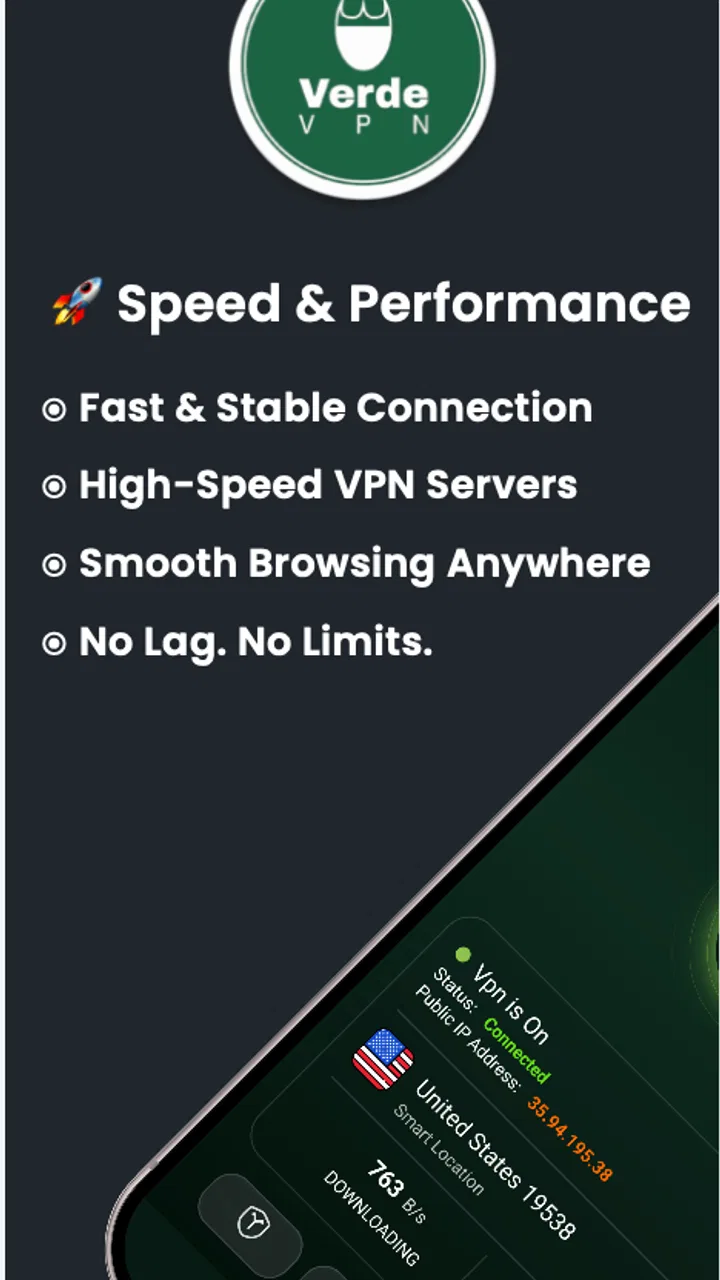
- High-speed connections with minimal lag.
- Strong encryption ensures data privacy.
- Wide range of global servers available.
- No logs policy enhances anonymity.
Cons
- Free version has limited server access.
- Occasional connection drops reported.
- Ads in free version can be intrusive.
- Not compatible with some streaming services.
- Premium plans are relatively expensive.

Verde VPN
Gallery